
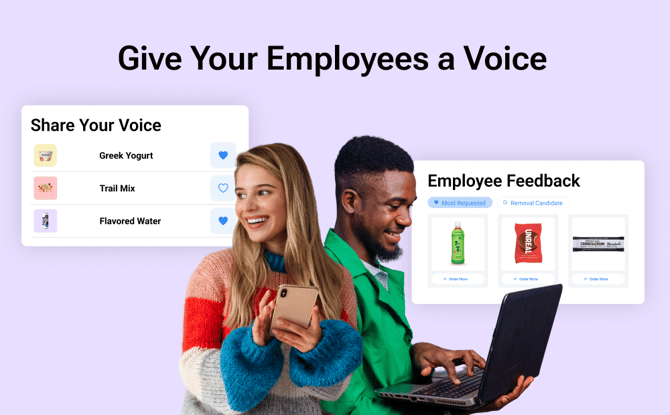
What is Employee Voting?
Employee Voting is a new feature in the Crafty Platform that allows employees to vote on the snacks and beverages they want to see in their office pantry. Those demand signals are pushed into the Crafty Platform so workplace leaders can make smarter decisions as they place orders, manage budgets, and make adjustments to their program.
Through a simple monthly voting experience, employees can:
-
Browse available products for their location
-
Vote for their favorites
-
Vote to remove low-interest items
How does Employee Voting create a better pantry experience?
Employee Voting gives you direct insight into your team’s preferences so you can make smarter pantry decisions with confidence. It helps you:
-
Drive office attendance by ensuring the pantry reflects what employees actually want
-
Reduce waste by quickly identifying low-interest items
-
Allocate budget more responsibly toward high-impact, high-demand products
-
Save hours of manual feedback collection by centralizing votes in one place
How do I enable Employee Voting?
Employee Voting is defaulted to “off” and must be enabled per location.
If your organization has been selected for the Beta:
-
Log in to the Crafty Platform
-
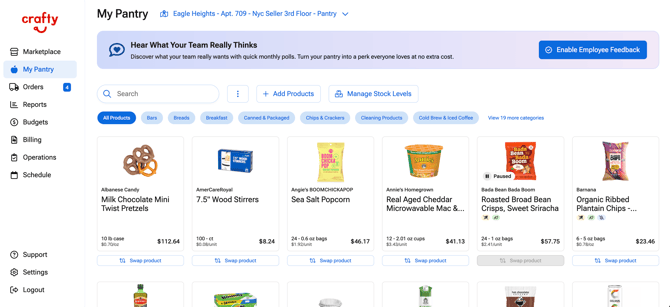
Navigate to My Pantry
-
Select the appropriate location
-
Click the banner to unlock the Employee Feedback module
-
Toggle Employee Voting to On
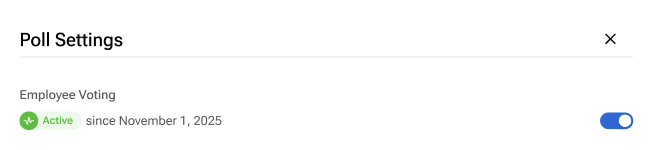
Once enabled, you can:
-
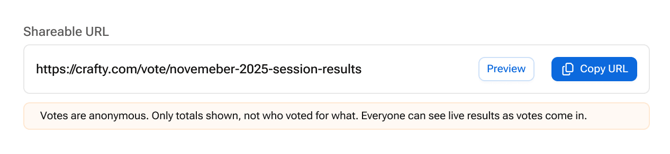
Grab your unique voting link for your location to share via Slack, email, or other internal messaging systems
-
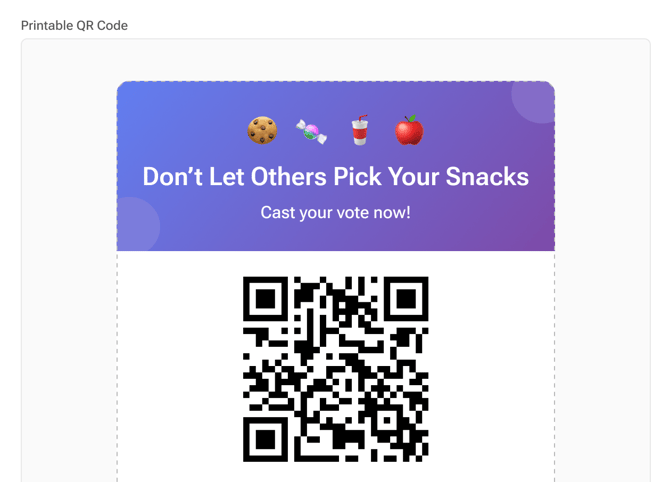
Print signs with the unique QR code, and place them throughout your office
How do employees participate?
Here's how the voting experience will look for employees:
-
They will scan the office QR code or click on the shared link
-
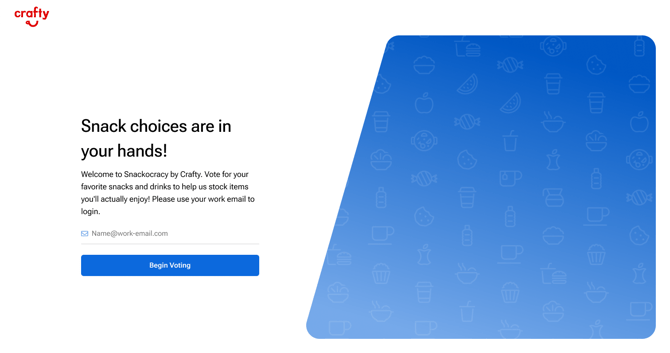
They will verify their email address on the login page
-
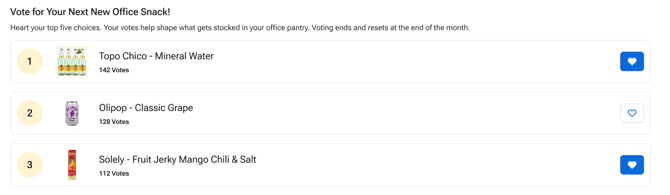
Then they will be taken into the experience to browse available pantry options
-
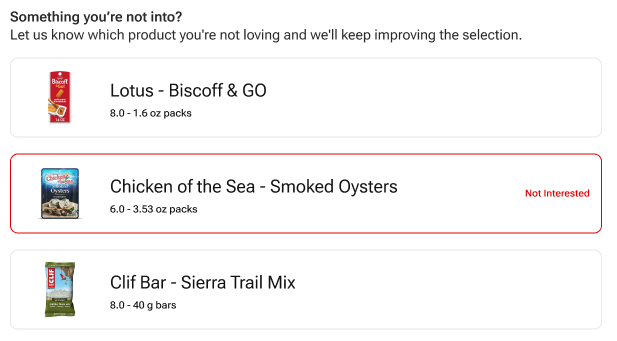
From there, they can vote for items they want to keep or remove
There are a few rules that will be noted within the voting experience:
-
Each employee receives 5 votes per month by default
- Admins can customize vote limits from 1–10 votes per employee in Settings
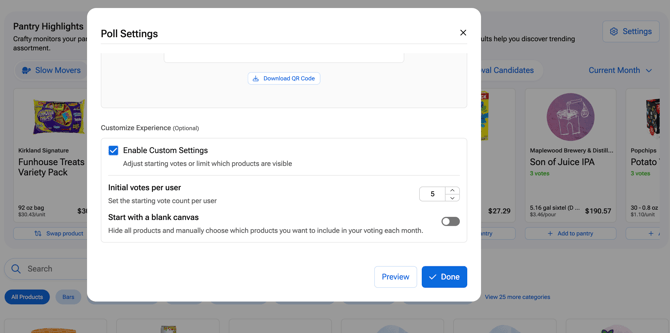
- Admins can customize vote limits from 1–10 votes per employee in Settings
-
Votes must be distributed across multiple products
-
Votes reset at the start of each month
-
Votes can be adjusted throughout the month
-
Unused votes expire at the end of the month
The experience is mobile-friendly and accessible to all employees at the location.
How do I view Employee Voting results?
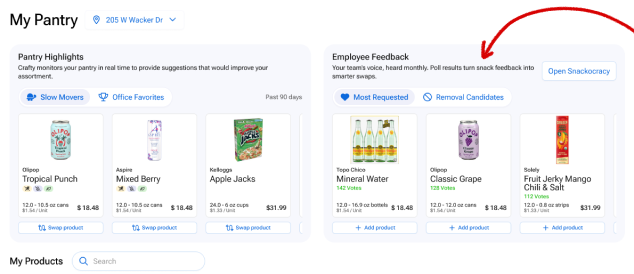
Members of your workplace team can view voting results directly in the Crafty Platform and adjust settings. These results can provide insight into ordering, but ultimately, you still have complete control over what gets added or removed from your pantry.
-
Snack rankings update as employees vote, and all results are displayed anonymously. From the My Pantry page, you can:
-
See snack rankings at a glance
-
View total vote counts per item
-
Identify trending products
-
Spot underperforming items
,
-
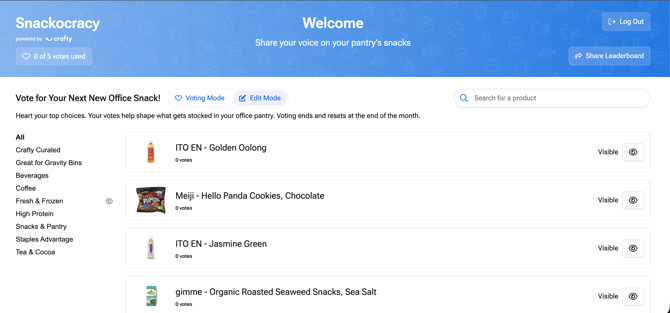
- Admins can also control which products appear in Employee Voting. Click Open Snackocracy from the My Pantry page and then click on Edit Mode.
When is Employee Voting most helpful?
Employee Voting provides qualitative demand signals to guide smarter pantry management:
-
Refreshing your product assortment
Use vote data to confidently decide what to keep, remove, or swap based on real employee demand. -
Managing budget constraints
Prioritize high-vote items and scale back low-interest products to protect the experience while reallocating budget strategically. -
Introducing new snacks or categories
Let employee feedback prioritize and validate what new categories or subcategories are worth exploring.
How to Share Employee Voting with Your Team?
Once Employee Voting is enabled, the next step is driving participation. The more employees engage, the more accurate and impactful your pantry insights will be.
To get the best results:
- Share the voting link across your team’s primary communication channels
- Post QR codes in high-traffic areas in your pantry like by the water dispenser or coffee stations
- Reinforce participation at the start of each month when votes reset
- Position voting as a way for employees to directly shape their pantry experience
Introduction Slack Message Template
We're introducing a new way for you to share your feedback on our pantry experience and help shape what shows up on the shelves!
Vote by scanning the QR code or use this link: [Insert Link]
Use your 5 votes/month to vote for your favorites and show us where we can improve.
Reminder Slack Message Template
It's a new month, and you have a new opportunity to shape what you see next in the pantry!
Love something? Vote it up. Think we can do better? Let us know.
Remember, you get 5 votes each month to spread across your favorites.
Start here: [Insert Link]
Introduction Email Template
Subject Line: Shape What's In [Company Name]'s Pantry
Hi everyone,
We’re introducing a new way for you to share input on what’s stocked in the pantry.
Get started here: [Insert Link]
Through this experience, you can submit feedback on what you’d like to see more of and share where there is room for improvement.
Each month, you’ll receive 5 votes to use across different items. Votes can be adjusted throughout the month and reset at the start of each new month.
Your feedback will be used to better understand your preferences and guide future pantry decisions to ensure you love it.
Thank you in advance for your participation!
Reminder Email Template
Subject Line: Reminder: Share Your Pantry Feedback This Month
Hi everyone,
It’s a new month, which means you have a fresh set of votes to help shape what’s in the pantry.
Get started here: [Insert Link]
Take a moment to vote for the items you enjoy and share where there’s room for improvement.
Remember, each month you receive 5 votes, and your feedback helps us create a pantry program you love!
Thank you for continuing to share your input.
FAQs
Is Employee Voting automatically enabled?
No. The feature is defaulted to “off” and must be manually enabled per location.
Can I control which products employees can vote on?
Yes. Using Edit Mode, you can customize the product list by hiding categories, removing specific items, or building a completely custom list from scratch.
Do votes automatically trigger orders?
No. Employee Voting provides insights and rankings only. All orders and pantry edits are still managed by you and the Crafty team.
How many votes does each employee receive?
Each employee receives 5 votes per month by default, but admins can customize the number between 1–10 in Settings.
Can employees change their votes?
Yes. Votes can be edited and redistributed throughout the month.
What happens if employees do not use all their votes?
Unused votes expire at the end of the month. New votes are issued at the start of each month.
How do employees access the voting portal?
Each location has a unique URL that they can share or a sign with a QR code. Employees use those to access the voting portal and enter their work email address. Voting data is location-specific and not shared across offices.
Who can see the results?
Snack rankings and vote counts are visible anonymously to employees. Workplace teams can also view results in the Crafty Platform on the My Pantry page.
Is voting data visible across all company locations?
No. Voting data is tracked by location. Access is limited to users who have permission to view that specific pantry.