
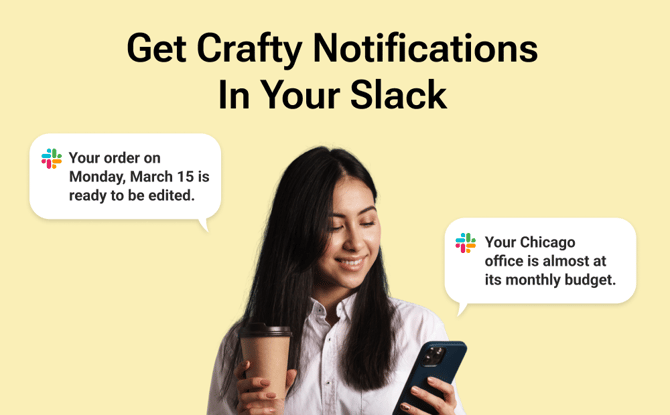
What is the Slack Integration?
The Slack Integration sends the Crafty Platform operational notifications you get via email directly into your Slack workspace.
Instead of refreshing your inbox or logging in just to check delivery updates, you’ll receive real-time alerts in Slack when key moments happen in your program.
As a result, you reduce inbox clutter, eliminate communication gaps, and take action faster.
How does Slack Integration save me time?
Slack Integration is built around one principle: meet you where you already work. It helps you:
-
Eliminate the “tab tax” of switching between Slack and email
-
Reduce back-and-forth communication and missed updates
-
Take action immediately from a direct link to the relevant page
What notifications are integrated into Slack?
Currently, here is the list of notifications that you can push into Slack. This is only the beginning!
-
Order is Editable: Lets you know when an order is available to be edited.
-
Order is 1 Stop Away: This is a Slack exclusive notification that informs you when your order is one stop away.
- Order Edit Reminder: This is a Slack exclusive notification that reminds you how much time you have to edit an order before it's locked in.
-
Order is Delivered: Sent once Crafty does our proof-of-delivery check where we check your order line-by-line to ensure everything is accounted for. You even get a picture!
-
Almost Over Budget: Sent when your office is approaching its monthly budget limit so you can review and adjust before exceeding your target.
-
Over Budget: Get notified when your location has exceeded its monthly budget, giving you immediate visibility and the ability to take action.
How do I enable Slack Integration?
Slack Integration must be connected at the user level.
-
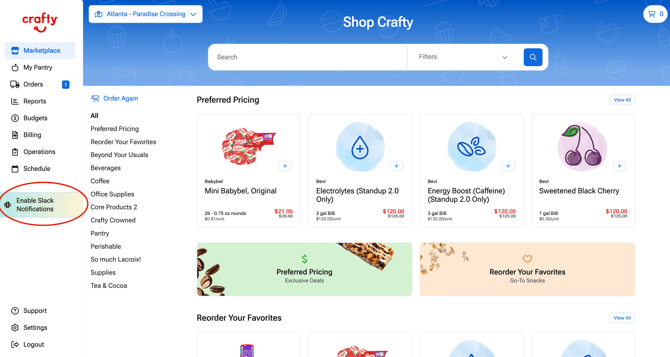
Log in to the Crafty Platform
-
Click Enable Slack Notifications
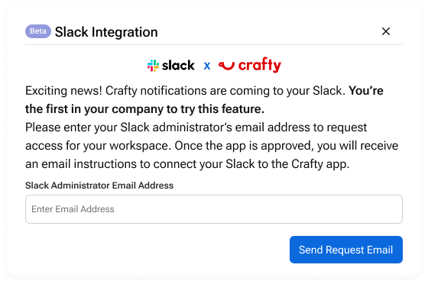
- In the pop-up screen, add in your Slack Administrator's email address (typically IT) and select Request Access.
-
You or your IT team will get a message in Slack to authorize the Crafty app within your Slack workspace
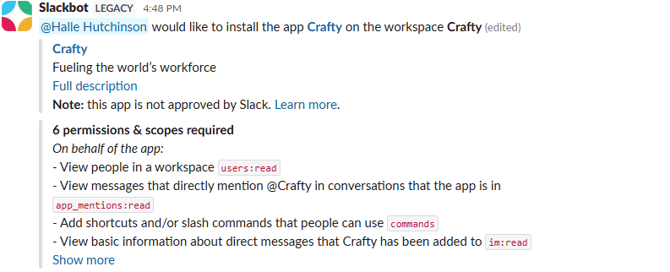
- Inside your Slack workspace select Allow
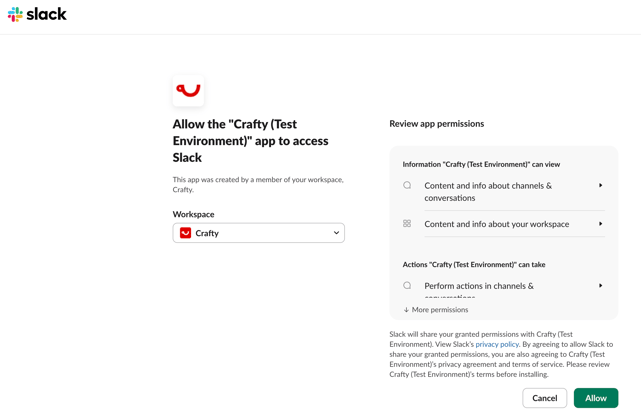
- Once approved, you or your IT team will get an approval message via Slack

- Once complete, you'll get your first Slack notification

Once connected:
-
Notifications will begin appearing in Slack automatically for the notifications you already receive emails for
-
You can manage or disconnect Slack at any time directly in your Notification Settings
What you may need to send to your IT team?
If your organization requires IT approval to install Slack apps, you can share the information below.
-
The Crafty Slack integration sends private operational notifications (order updates, delivery confirmations, and budget alerts) directly to the authorized user via Slack direct message.
-
The app only requests two Slack permissions:
-
chat:writeto send notification messages -
im:writeto create a private DM between the Crafty bot and the user
-
-
Slack is connected using the standard OAuth 2.0 authorization flow.
-
Crafty stores the workspace ID, encrypted bot token, and authorized user’s Slack ID to maintain the connection.
-
Crafty does not access or store Slack messages or internal workspace conversations.
-
Tokens are encrypted at rest, and Slack requests are verified using HMAC SHA256 signatures.
How does the Slack experience work?
Here is what the experience looks like once connected:
-
You receive a Slack notification when a key update occurs
-
The message includes a short summary and a direct link
-
You click the link and are taken directly to the relevant page in the Crafty Platform
-
You complete your action quickly and return to Slack
When is Slack Integration most helpful?
Slack Integration is especially valuable when timing and visibility matter.
- Editing orders quickly
Receive an “Order is Editable” alert and make last-minute updates in minutes. - Staying ahead of delivery day
Know exactly when your order is en route and when it has been delivered. - Responding to urgent order comments
Leave comments directly on orders and notify the right stakeholders in context. - Monitoring your budget proactively
Get notified when you’re almost over budget or over budget so you can review spend in real time.
FAQs
Is Slack Integration automatically enabled?
No. Slack must be connected and authorized by each user.
Will I still receive emails?
You can choose to get Slack notifications in addition to any email notifications you already receive. You can manage those settings directly within the Crafty Platform.
Can multiple users connect Slack?
Yes. Each user can connect their Slack account and manage their own notification preferences.
Can I disconnect Slack?
Yes. You can disconnect the integration at any time in your notification or integration settings.
What happens if I miss a Slack message?
All updates remain available in the Crafty Platform!