
What is the Notification Center?
The Notification Center is a centralized place in the Crafty Platform where you can view and manage important updates across your pantry program, including notifications related to orders, product updates, closures, and comments across all of your office locations.
How does the Notification Center save me time?
The Notification Center brings your most important updates into one place, so you spend less time trying to find the information across systems, and more time focusing on optimizing your program.
With the Notification Center, you can:
- Review updates across all your office locations in one place
- Quickly see which notifications need action
- Stay ahead of budget, delivery, and product issues faster
How do I use the Notification Center?
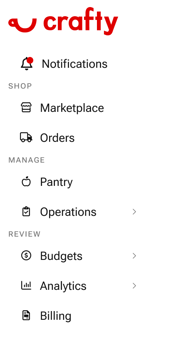
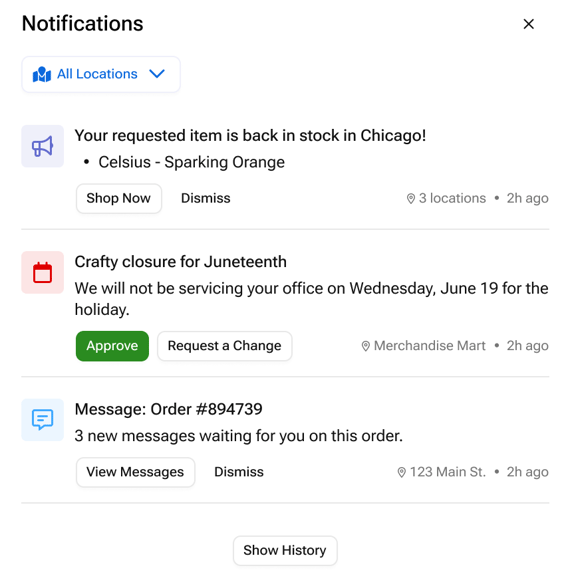
From the Crafty Platform sidebar you can open up your Notification Center. You will see all your notifications for all offices your account is connected to.
Some notifications are informational and clear automatically after you open the Notification Center. Others remain visible until action is taken or the notification is dismissed.
- Select the notification bell
- Review recent updates across your office locations
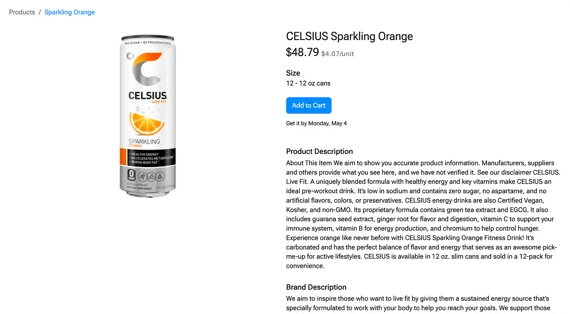
- Open a notification to view more details
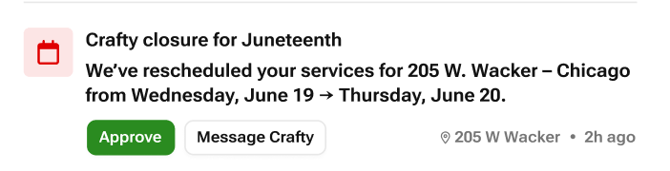
- Take action on approvals or alerts, when applicable
What types of Notifications are included?
The Notification Center includes updates across your pantry program, including:
- Service & Schedule Notifications
- Upcoming Crafty closure approvals
- Upcoming company closure approvals
- Location-specific schedule updates
- Product & Catalog Notifications
- Requested products back in stock
- Coming Soon: Product swap or substitution updates
- Coming Soon: Employee voting reminders
- Order & Delivery Notifications
- Order comments
- Order mentions
- Coming Soon: Budget Notifications
- Budget threshold warnings
- Budget exceeded alerts
- Projected monthly spend updates
- Coming Soon: Reporting & Admin Notifications
-
- Consumption and spend reports ready
- Weekly or quarterly business review updates
What are scenarios where the Notification Center is most helpful?
The Notification Center helps you stay informed and keep your pantry program running smoothly across all your office locations.
Common scenarios include:
- Receiving updates on holiday closures and knowing when your next delivery or service visit is scheduled
- Knowing when frequently ordered products are back in stock and ready to reorder
- Keeping up with delivery updates, product substitutions, and order changes across locations
- Staying aligned with your team through approvals, comments, and operational updates in one place
FAQs
What is the difference between informational and actionable notifications?
Informational notifications are updates meant to keep you informed, like product availability or delivery updates. Actionable notifications require follow-up.
Will the red dot always show for new notifications?
The notification indicator clears once you open the Notification Center. Individual notifications may still appear as unread until you open them or mark them as read.
How long do notifications stay in the Notification Center?
Most notifications remain visible for up to 2 weeks, so you have enough time to review or take action before they automatically clear.
Will I still receive Slack or email notifications?
Yes. Some notifications may also be sent through Slack or email, depending on your setup and notification type. Learn how to connect Slack!