
What is the Crafty Marketplace?
The Crafty Marketplace is your one-stop shop for keeping your office stocked with everything your team needs. From everyday pantry staples to exciting new finds, you'll have access to snacks, beverages, office supplies, and more. Explore available products, build your order, and check out directly through the Crafty Platform.
What can I do within the Crafty Marketplace?
The Crafty Marketplace gives you everything you need to manage your office orders in one place.
You can:
- Browse snacks, beverages, pantry essentials, and office supplies by category
- Shop both your regularly stocked products and discover new or seasonal items
- Add products to your cart with a single click
- Subscribe to back-in-stock notifications by selecting the 🔔 icon on unavailable products
How do I use the Crafty Marketplace to create a new order?
Follow these steps to place your own order:
- Log in to the Crafty Platform
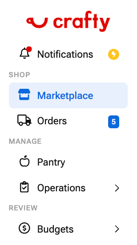
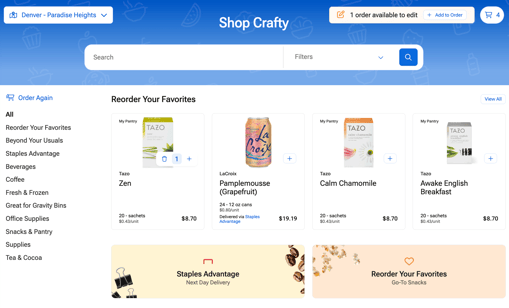
- Open the Marketplace on the lefthand sidebar
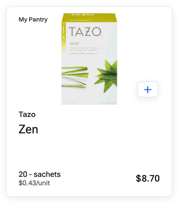
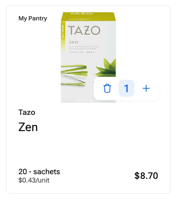
- Browse products and add items to your cart using the + button
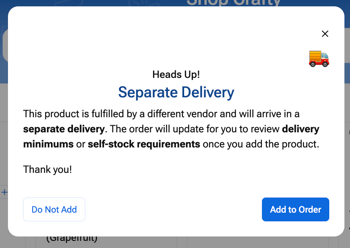
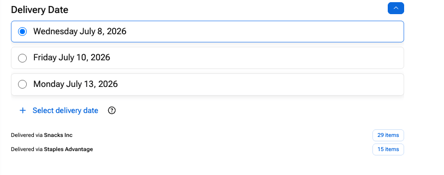
- If the product is delivered by our Staples Advantage program, a pop-up will appear for you to confirm that you acknowledge that this will be delivered by Staples and will arrive separately from your other items
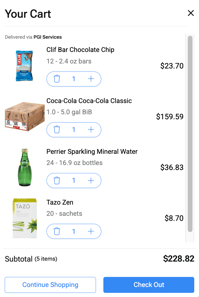
- Open your Cart by clicking on the 🛒 icon in the top right of your screen
- Your order will slide in from the right side to review
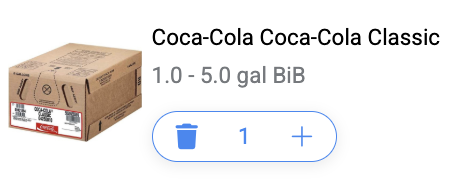
- If you need to remove an item click the 🗑️ icon next to that product
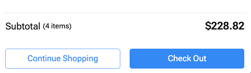
- Review your cart and confirm you've met your delivery minimum, if applicable.
- Check your order cut-off time to ensure your order will arrive on your next scheduled delivery
- Click Checkout
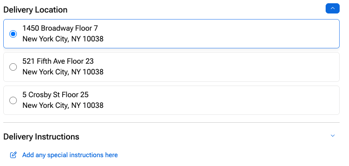
- Confirm your delivery location and add any special delivery instructions, if needed
- Review your saved payment method or add a new one

- Confirm your delivery date. Your next available delivery date is selected automatically, but you can choose a different available date using the dropdown menu.
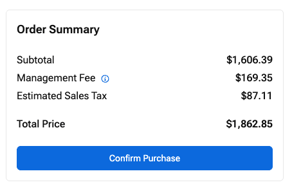
- Once everything looks right, click Confirm Purchase
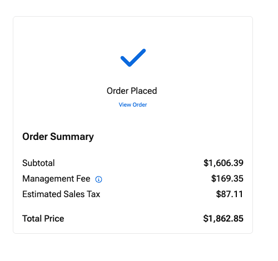
- You will then see an Order Confirmed message
Scenarios where placing an à la carte order is most helpful:
Whether you're supplementing your regular pantry service or placing orders as needed, the Crafty Marketplace gives you the flexibility to order what your office needs.
For Delivery+ and Concierge clients
If your office has a recurring delivery schedule, à la carte orders are perfect for:
- Topping off your pantry between scheduled deliveries
- Ordering snacks and beverages for meetings, events, or office celebrations
- Purchasing office supplies alongside your pantry order
- Replacing products that ran out sooner than expected
- Trying new or seasonal products before adding them to your regular pantry lineup
For Drop & Go clients
If you order as needed, the Crafty Marketplace makes it easy to:
- Place your weekly or monthly pantry order based on your team's current needs
- Restock your office after your team has gone through products faster than expected
- Prepare for an upcoming meeting, client visit, onboarding, or office event
- Refresh your pantry with seasonal favorites or new products your team wants to try
- Order additional office supplies alongside your pantry item
FAQs
Are all products always available?
We do our best to keep every product in stock, but if an item is unavailable, we'll do our best to provide a comparable replacement so your delivery stays on schedule.
What is the order cut-off time?
Your Marketplace displays the order cut-off time for your location. Be sure to place your order before the cut-off to receive it on your next scheduled delivery.
I missed the order cut-off. What should I do?
If you missed your cut-off time and only receive deliveries on certain days, contact your Crafty team member as soon as possible. You can also submit a request through the Support in the Crafty Platform, and the team may be able to assist with placing an order on your behalf.
Where can I track my order?
Visit the Orders tab in the Crafty Platform to view your order history and current order status. You'll also receive a delivery confirmation email when your order is on its way.
How do I know when my order has been delivered?
The Orders tab displays the status of each order, including when it has been delivered. After delivery, you can also leave feedback about your experience.
Can I receive order notifications?
Yes! You can subscribe to email notifications and Slack notifications to receive real-time updates about your deliveries.
Can I change my order after placing it?
Yes. You can edit orders and change, add, or remove products from your order before the daily order cut-off time.
What if I need to cancel my order?
If your order has not yet been processed, contact your Crafty contact owner or Support team as soon as possible. Once an order has shipped, it can no longer be canceled.