
The Crafty Platform is the only platform purpose-built to manage modern workplace pantry programs. Whether you're managing one office or hundreds, it gives you complete visibility into your program, empowering you to make smarter decisions, streamline operations, and create a pantry experience employees love.
What is the Crafty Platform?
The Crafty Platform is the command center for office pantry management. It brings together ordering, inventory, budgeting, billing, reporting, and on-site operations into a single experience so you can spend less time managing your pantry and more time supporting your workplace.
From the platform you can:
- Shop thousands of pantry products
- Track deliveries and order history
- Monitor budgets in real time
- Analyze pantry performance
- Review invoices
- Follow onsite service activity
- Submit and track support requests
- Receive important notifications
The Platform Powering Smarter Workplaces
The Crafty Platform gives you complete visibility and control over your workplace food and beverage program. Whether you're managing one office or hundreds, every tool is designed to help you operate more efficiently, make smarter decisions, and create a better workplace experience.
- Control Spend: Stay ahead of your budget with real-time insights, spending analytics, and centralized billing that help maximize every dollar.
- Manage Products: Build smarter pantries with AI-powered recommendations, automated inventory management, and a marketplace tailored to your employees' preferences.
- Oversee Onsite Operations: Gain complete visibility into service visits, task completion, equipment requests, and support tickets across every location.
- Engage Employees: Create a pantry employees love with personalized product assortments, dietary preferences, and employee feedback tools.
- Centralize Communication: Keep everyone connected with notifications, support updates, and Slack integration so your team always stays informed.
Navigating the Crafty Platform
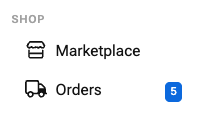
The left navigation organizes your workspace into three main sections.
Shop
-
Marketplace: Browse Crafty's catalog of snacks, beverages, coffee, supplies, and workplace essentials. From the Marketplace, you can:
- Search products
- Discover new items
- Filter by dietary preferences
- Explore seasonal offerings
- Build future orders
- Orders: Track every order from placement through delivery. In the orders section, you'll find:
- Upcoming deliveries
- Delivery status
- Comment on orders
- Edit orders
- Special delivery instructions
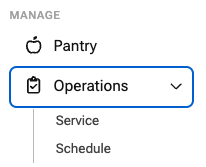
Manage
-
Pantry: View and manage the products available across your locations. Depending on your program, you can:
- View your pantry assortment
- Manage stock levels
- Optimize assortments with AI
- Automate replacements
- Enable Employee Feedback
- View your pantry assortment
- Operations: See exactly what's happening across your locations. Operations gives you visibility into:
- Daily service activity
- Visit and task status
- Photo verification
- Service schedule
- Service ratings
- Support ticket progress
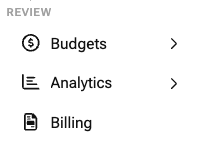
Review
-
Budgets: Monitor spending before it becomes a surprise. Use Budgets to:
- Track spend in real time
- Compare spend against budget
- Monitor employee-level spend
- Review projections
- Monitor spending by location
- Analytics: Understand how your pantry program is performing. Analytics helps you:
- Identify product performance
- Compare spend by locations
- Review category performance
- Share reports with stakeholders
- Billing: Manage invoices across your organization. Billing allows you to:
-
- View invoices
- Track payment status
- Download invoice copies
- Organize billing across locations
- Update payment information
Stay Connected
-
Notifications: Receive updates about orders, approvals, deliveries, and important activity across your program.
-
Connect to Slack: Integrate the Crafty Platform with Slack so important updates are delivered directly to your team.
Support
-
Support Center: Submit and track support requests directly from the platform. Within support, you'll be able to:
- Submit service tickets
- Submit equipment maintenance requests
- View ticket statuses
- View your Crafty team
Getting Started with the Crafty Platform
Once your Crafty team has your program up and running, there are just a few things to review before you're ready to go.
- Update your Settings: Verify your contact information, configure your notification preferences, and connect Slack to receive real-time updates. Learn More →
- Review your Budgets: Select each location and add or update your employee headcount to ensure your budget and spending insights stay accurate. Learn More →
- Enable Employee Feedback: Head to Pantry to turn on Employee Feedback so your team can vote on the products they'd like to see in the office. Learn More →
- Explore the Platform: Familiarize yourself with Marketplace, Orders, Analytics, Billing, and Operations so you know where to find everything when you need it.
Frequently Asked Questions
Who can access the Crafty Platform?
Anyone invited by your organization can access the Crafty Platform. Multiple users can be added, making it easy for workplace, facilities, finance, and leadership teams to collaborate. Add users in Settings.
How do I know when my order is on the way?
You'll receive notifications when your order is on its way, and you can track delivery status anytime from the Orders section.
Where can I view my invoices?
Visit the Billing section to view invoices, track payment status, download invoice copies, and update your payment information.
How do I request support or equipment service?
Open the Support Center to submit a support ticket or equipment maintenance request and track its progress from submission to resolution.