
How is Employee Voting Customizable?
Employee Voting lets your team vote on the office snacks, drinks, coffee, and supplies inside your pantry, with you in complete control. You decide what goes in your pantry, and you also control the voting experience to get the feedback you need.
Here’s how you can customize Employee Voting:
- Voting Limits: Give each employee anywhere from 1 to 10 votes per month in Settings. The default is 5.
- Timeline: You decide when voting runs by when you share your link or post your QR code. Take them down anytime. Your link and QR code never change, so you can reuse them for every collection without reprinting.
- Product-Specific Customizations:
- Category: Show or hide entire categories so voting stays focused on the areas you want feedback on.
- Product: Show or hide specific items, whether that’s due to price, type of product, or whatever your preferences are.
- Collection: Showcase a specific seasonal lineup, like Fall Trends, Halloween, or Black History Month, to add a layer of engagement to your seasonal swaps.
Below, we’ll focus on product-level customization: how to choose exactly which items your team can vote on.
How To Customize Employee Voting by Product?
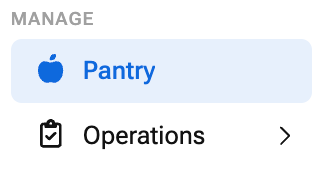
- Go to My Pantry and select your location
- In the Employee Feedback section, click Settings
Learn how to enable Employee Voting if you haven’t already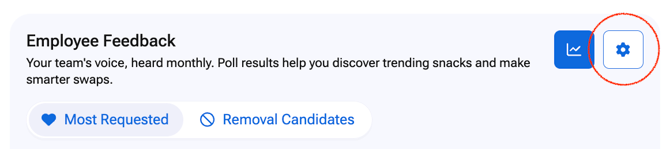
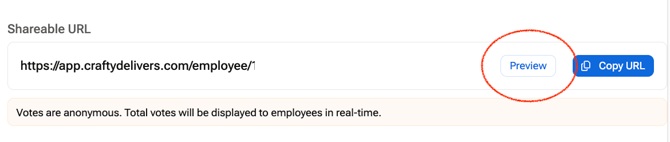
- Click Preview
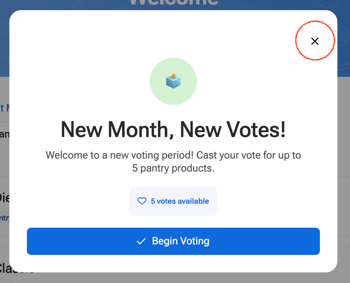
- Close the Begin Voting pop-up
- Click Edit Mode

- Search for the product you want to update
- Click the eye icon next to the product to show or hide it
An eye with a slash means the product is hidden from voting

- Repeat for each product you want to show or hide
- Click Voting Mode to see voting exactly the way your employees will

- To share your voting experience, go back to My Pantry > Employee Voting Settings
- Click Copy URL or Download QR Code Sign to share your voting experience
Why Show or Hide Specific Products?
Every product you show is a question you’re asking your team. Keeping the list focused gets you clearer answers.
- Price: Hide premium items that don’t fit your budget, so your team only votes on products you’re ready to stock.
- Type of Product: Narrow voting to the products you want feedback on, whether that’s new snacks, beverages, or coffee.
- Your Staples: Hide the items you’ll always keep around, so votes go to the products that could actually change.
Scenarios Where Product Voting Is Most Helpful
When you update your product list shapes what the results tell you. Here’s how to time it and put the feedback to work.
- Running a Tasting: Show only the products employees are sampling, ideally 10 or fewer. Share your QR code or link right after the tasting so you capture feedback while it’s fresh, then compare the results with your consumption data before adding a new favorite.
- Settling a Head-to-Head: When you’re stuck between two comparable options, like a new cold brew, two premium products, or a few sparkling waters, show only the finalists. The winner gets the spot, and you have a clear reason behind the call.
- Planning for an Office Event: A few weeks before an all-hands, happy hour, or team gathering, show the snacks and drinks you’re considering that sit outside your normal lineup. Order what wins, so you’re not stuck with leftover cases nobody wanted.
- Building Next Year’s Budget: Before budget planning, show products you don’t currently offer and see where employees put their votes. Use the results to find gaps and back up your ask with real employee demand.
Employee Voting Product FAQs
Does hiding a product remove it from my pantry?
No. Hiding a product only removes it from voting. Your pantry and orders stay the same.
Can I show a hidden product again later?
Yes. Click the eye icon next to the product in Edit Mode to show it again.
Can I build a custom product list from scratch?
Yes. In Edit Mode, you can build a completely custom list with only the products you choose.
Will voting results change my orders automatically?
No. Employee Voting gives you rankings and insights only. You stay in full control of what gets added or removed from your pantry.